Need help? Reach us at 

 +1 (855) 418-2323
Need help? Reach us at
+1 (855) 418-2323

 File Converters TIFF and PDF apps Forensic Freeware
CGM (Computer Graphics Metafile) is an ISO standard format for 2D vector graphics, raster images, and text. It is widely used in technical illustration, aviation documentation, defense publications, and parts catalogs. The problem: opening and editing CGM files requires expensive software like CorelDRAW, Adobe Illustrator, or specialized technical publishing tools. DXF is the universal CAD exchange format — readable by AutoCAD, LibreCAD, DraftSight, FreeCAD, and dozens of other applications, many of them free. Total CAD Converter converts CGM files to DXF in batch, on Windows, without needing any of those expensive applications installed.
(includes 30 day FREE trial)
(only $99.00)
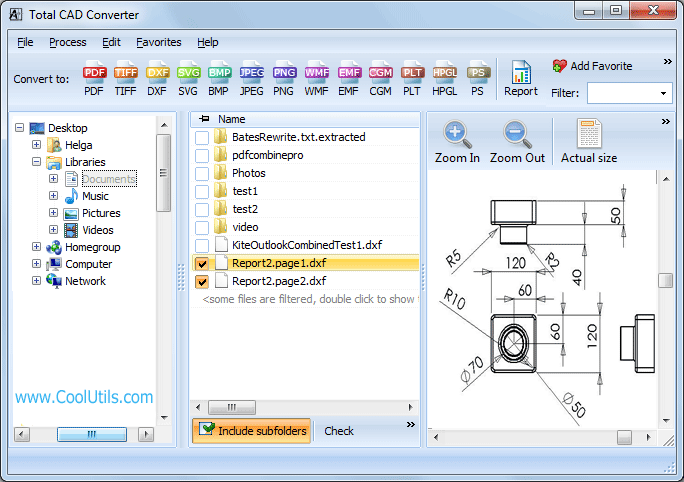
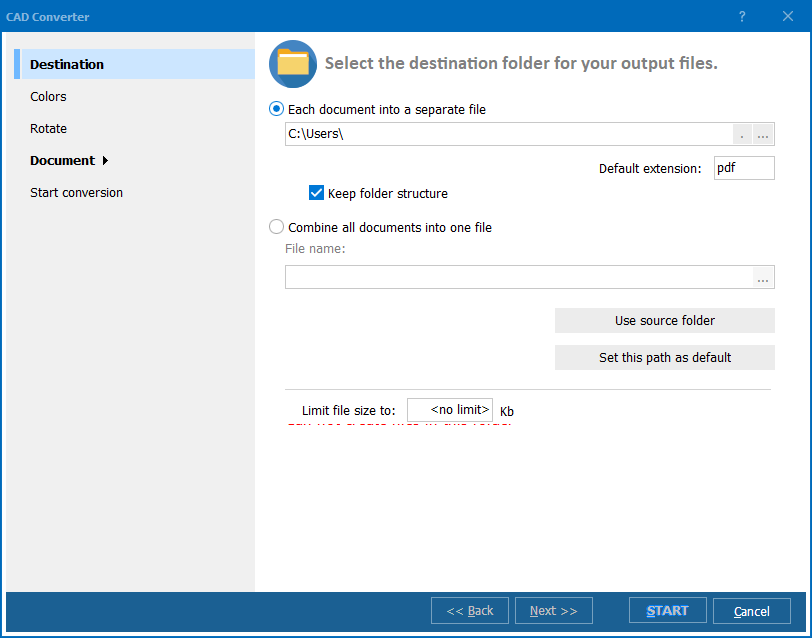
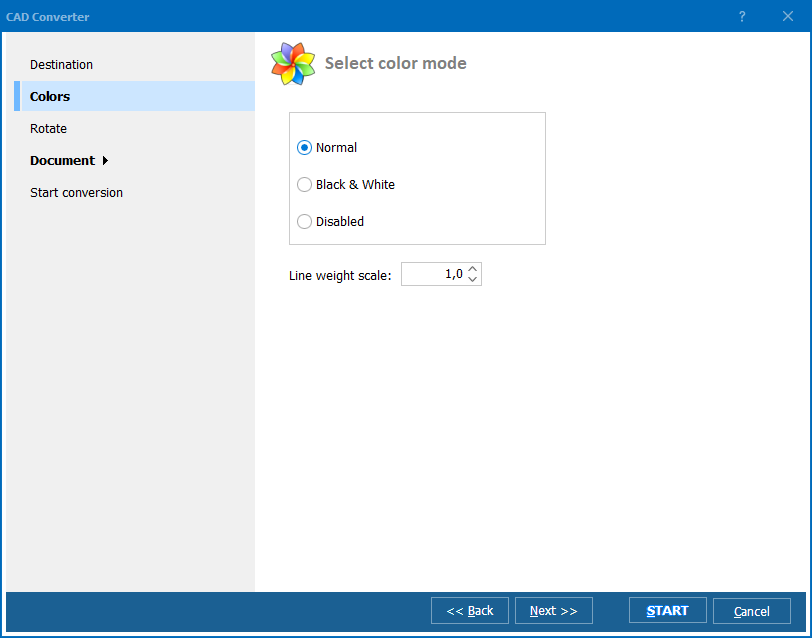
Quick answer: To convert CGM to DXF, install Total CAD Converter, browse to the folder with your CGM files, check the files or click Check All, click DXF in the format bar, choose a destination folder, then click Start. The whole folder converts to editable DXF in one batch, offline, with no CorelDRAW or AutoCAD required and no file-size limit.
CGM (Computer Graphics Metafile) is an ISO 8632 standard for storing 2D graphics. A CGM file can contain vector shapes, raster images, and formatted text in a single document. CGM is used heavily in aerospace (ATA iSpec 2200, S1000D), defense (MIL-STD publications), and technical documentation where long-term archival of illustrations matters. The format is stable and standardized, but the software that reads it — Corel, Adobe, specialized viewers — is expensive.
DXF (Drawing Exchange Format) was created by Autodesk as an open interchange format for CAD drawings. Every CAD application reads DXF. It stores entities like lines, arcs, circles, polylines, text, and dimensions in a well-documented ASCII or binary structure. DXF is the go-to format when you need to move a drawing between different CAD systems or open it in a tool that does not support the original format.
| CGM | DXF | |
|---|---|---|
| Standard | ISO 8632 | Autodesk open format |
| Content | Vectors, rasters, text | CAD entities (lines, arcs, polylines, text) |
| Primary use | Technical illustration, aerospace docs | CAD interchange between applications |
| Software required | CorelDRAW, Illustrator, or specialized viewers | Any CAD application (AutoCAD, LibreCAD, FreeCAD, etc.) |
| Cost of software | $200–$700+ | Free (LibreCAD, FreeCAD) to $2,000+ (AutoCAD) |
| Editability | Limited to supporting apps | Fully editable in any CAD tool |
Converting CGM to DXF lets you open, edit, and reuse technical illustrations in standard CAD software without purchasing expensive specialized tools.
The entire process takes seconds per file. For a folder of 500 CGM drawings, the batch runs in a few minutes without any user interaction after clicking Start.
Total CAD Converter includes a command-line interface for scripted and scheduled workflows:
CADConverter.exe C:\Drawings\*.cgm C:\Output\ -cDXF
This converts every CGM file in the source folder to DXF. Add flags to control output:
-cDXF — target format-SubFolders — include files from subfolders-log C:\Logs\convert.log — write a log fileSave the command in a .bat file and run it via Windows Task Scheduler for fully automated conversion.
Total CAD Converter supports CGM and many other CAD formats as input (DWG, DXF, PLT, HPGL, SVG, WMF, and more) and converts to a wide range of outputs: DXF, PDF, TIFF, JPEG, BMP, PNG, WMF, SVG, HPGL, and CGM. One tool covers all your CAD conversion needs.
| Feature | Online Converters | Total CAD Converter |
|---|---|---|
| Batch processing | One file at a time | Unlimited files per batch |
| File privacy | Files uploaded to third-party server | Files stay on your machine |
| File size limit | Typically 5–50 MB | No limit |
| CGM support | Rare, unreliable | Full CGM support (all versions) |
| Output quality | Varies, often lossy | Accurate vector-to-vector conversion |
| Command line | Not available | Full command-line interface |
| Requires internet | Yes | No — 100% offline |
| Price | Free or subscription | One-time $99.00 |
Total CAD Converter reads CGM files directly using its own engine. You do not need CorelDRAW, Adobe Illustrator, AutoCAD, or any other application installed. This saves hundreds of dollars in licensing fees.
Select a folder with hundreds of CGM files, click Start, and walk away. The converter processes the entire batch without user interaction. For recurring tasks, use the command line with a scheduled .bat file.
CGM contains vector data; DXF stores vector data. The conversion preserves geometric accuracy — lines, arcs, polylines, and text are transferred as CAD entities, not rasterized into pixels.
Total CAD Converter can merge multiple CGM files into a single output file, and scale drawings during conversion. This is useful when consolidating a set of illustrations into one DXF document or adjusting the drawing size for a different sheet format.
Personal license: $99.00. Free 30-day trial with no restrictions — no email or credit card required.
Windows 7/8/10/11
*.cgm wildcard on the command line) and convert them all to DXF in one run.CADConverter.exe C:\Drawings\*.cgm C:\Output\ -cDXF. Save the command in a .bat file for scheduled or automated conversions.
Download free trial and convert your files in minutes.
No credit card or email required.

Related Topics
Convert HPGL to DXF — Batch HPGL to DXF Converter for Windows