Logo
Home Products Support Contact About Us
arrow1 File Converters
arrow1 TIFF and PDF apps
arrow1 Forensic
arrow1 Freeware

Convert DWF to SVG — Display CAD Designs in Any Web Browser


DWF files lock your CAD designs behind Autodesk viewers that not every stakeholder has installed. Total CAD Converter converts DWF drawings to SVG — a vector format that opens natively in Chrome, Firefox, Edge, and Safari without plugins. The converter:
  • Converts single DWF files or entire folders in one batch
  • Produces clean SVG output that renders in every modern browser
  • Preserves vector geometry, line weights, and drawing structure
  • Keeps all processing local — designs never leave your PC
  • Provides a command-line interface for automated and server-side workflows
  • Includes a 30-day free trial with full functionality, no registration required

Download Total CAD Converter and start converting DWF designs to browser-ready SVG today.


Download Now!

(includes 30 day FREE trial)

Buy License

(only $99.00)

DWF vs SVG: What Is the Difference?

DWF (Design Web Format) is Autodesk's lightweight file format designed for sharing and reviewing CAD data. It stores compressed 2D and 3D geometry derived from DWG source files, producing smaller files that are easier to distribute than full DWG drawings. However, opening a DWF file still requires an Autodesk viewer — Autodesk Design Review or the Autodesk online viewer. Recipients without these tools cannot view the content at all.

SVG (Scalable Vector Graphics) is an XML-based vector image format maintained by the W3C. Every modern browser renders SVG natively — no plugins, no extensions, no downloads. SVG graphics scale to any resolution without quality loss, making them ideal for responsive web pages, retina displays, and interactive documentation. SVG files can be styled with CSS, animated with JavaScript, and edited in tools like Adobe Illustrator, Inkscape, and CorelDRAW.

Converting DWF to SVG removes the Autodesk viewer dependency. Your CAD drawings become accessible to anyone with a web browser. Architects can embed floor plans on project websites, engineers can publish schematics in internal wikis, and marketing teams can drop technical illustrations into web pages — all without asking viewers to install specialized software.
How to Convert DWF to SVG

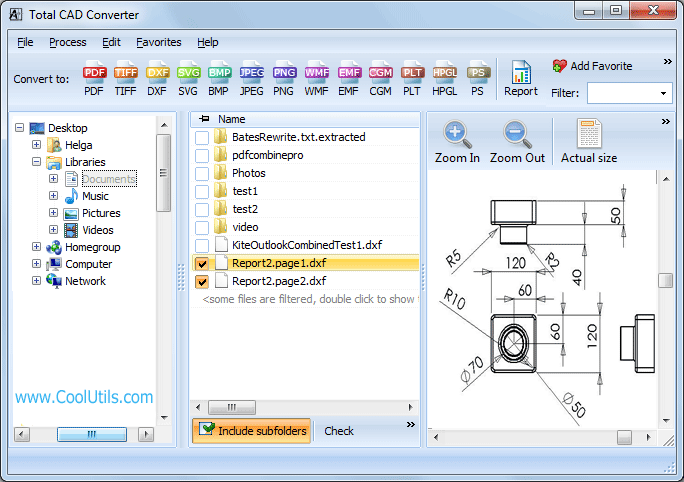
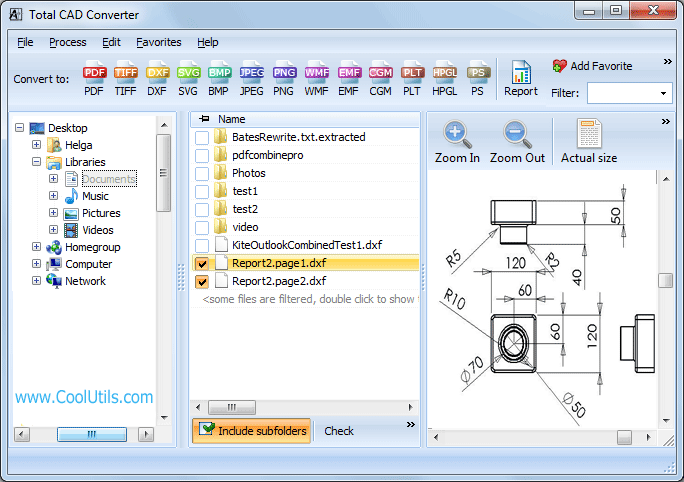
  • Step 1. Launch Total CAD Converter. The left panel shows a Windows folder tree for navigation.
  • Step 2. Browse to the folder that contains your DWF files. The central panel lists all supported CAD files in that folder, including DWF.
  • Step 3. Check the DWF files you want to convert. Click Check All to select the entire folder for batch conversion.
  • Step 4. Click SVG in the format toolbar at the top of the window.
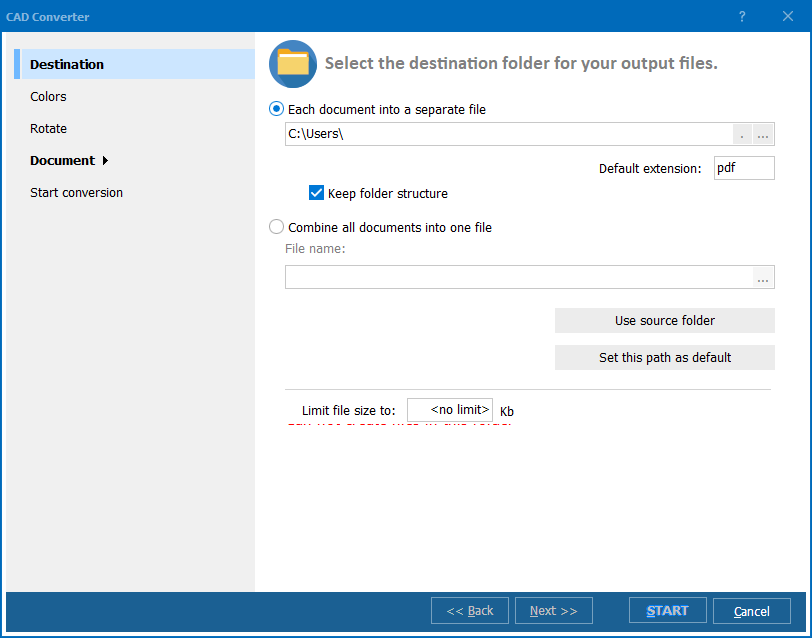
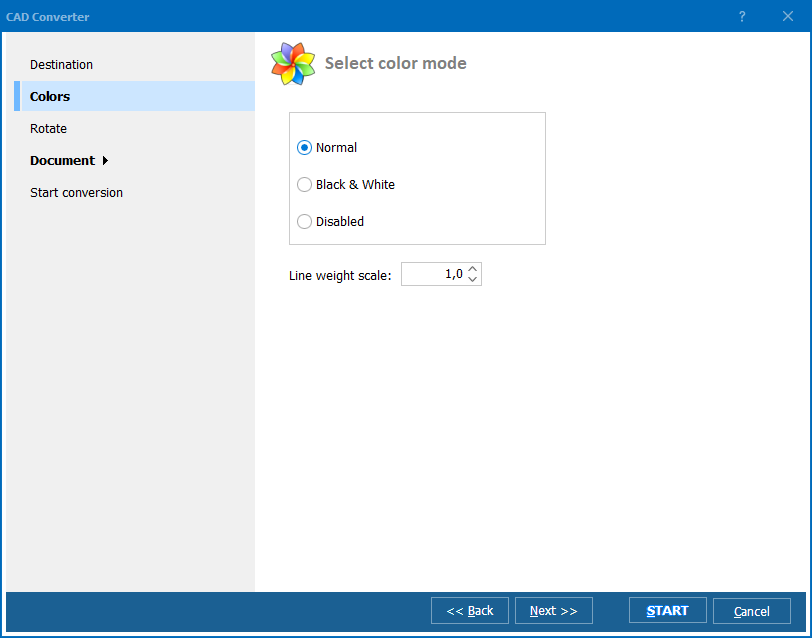
  • Step 5. In the settings dialog, choose a destination folder and adjust output options: page size, color mode, and line weight handling.
  • Step 6. Press Start. The converter processes all selected DWF files and saves SVG output to your chosen folder. Original DWF files remain untouched.

Total CAD Converter - DWF to SVG interface

Batch conversion of dozens of DWF files typically completes in under a minute. The converter remembers your last settings, so repeat jobs require only selecting files and pressing Start.

Command-Line Conversion

Total CAD Converter includes a command-line interface for automated and server-side workflows. Example:

CADConverter.exe C:\Drawings\*.dwf C:\Output\ -cSVG

Use this in a .bat file or Windows Task Scheduler job to convert incoming DWF files to SVG on a fixed schedule or whenever new designs arrive in a watched folder. The command-line version runs without any GUI and fits into existing web publishing pipelines.

Why Use Total CAD Converter?

Green PlusNo Autodesk software required. Total CAD Converter uses its own DWF rendering engine. You do not need AutoCAD, Autodesk Design Review, or any other Autodesk application on the conversion machine. Install the converter, point it at your DWF files, and convert.

Green PlusBatch processing. Select a folder with hundreds of DWF drawings and convert them all to SVG in a single run. Each drawing gets its own SVG file, named to match the source. No manual file-by-file handling.

Green PlusVector precision preserved. The SVG output retains the vector geometry from the original DWF. Lines, arcs, and curves remain resolution-independent — zoom in on a browser and every detail stays sharp. No rasterization, no pixelation.

Green PlusBrowser-ready output. SVG files produced by Total CAD Converter render correctly in Chrome, Firefox, Edge, and Safari. Embed them in HTML pages with a simple <img> tag or inline them for CSS styling and JavaScript interaction.

Green Plus100% offline processing. All conversion runs locally on your PC. Confidential blueprints, proprietary designs, and client drawings never leave your machine. No cloud upload, no third-party server.

Green Plus13+ output formats. Beyond SVG, convert DWF to PDF, TIFF, JPEG, PNG, BMP, WMF, CGM, DXF, PLT, and more — all from the same interface.

Online Converters vs Desktop Converter

FeatureOnline ToolsTotal CAD Converter
File size limit10–50 MBNo limit
Batch conversionOne file at a timeUnlimited
PrivacyDesigns uploaded to cloud100% offline
Autodesk software requiredVariesNo
SVG qualityOften rasterizedTrue vector output
Layer selectionNoYes
AutomationNot availableBuilt-in command line
PricingSubscription / per-fileOne-time $99.00

download DWF to SVG converter

Windows 7/8/10/11 • 30-day free trial

When Do You Need DWF to SVG Conversion?

There are several common scenarios where converting DWF designs to SVG is the right choice:
  1. Embedding floor plans on project websites. Architects and construction firms publish floor plans, site maps, and elevation views on client-facing project portals. SVG files load instantly in any browser and scale to fit any screen size — from a desktop monitor to a phone. No viewer plugin required.
  2. Interactive web-based design review. SVG supports CSS styling and JavaScript events. Developers can build web applications where stakeholders hover over rooms to see area data, click on building sections to view specifications, or toggle layers on and off — all from DWF source drawings converted to SVG.
  3. Responsive technical documentation. Technical writers embedding CAD illustrations in HTML manuals need vector graphics that look crisp at any zoom level. SVG output from DWF files stays sharp whether the reader is on a 4K monitor or printing the page at 300 dpi.
  4. Content management systems and wikis. Engineering teams that use Confluence, SharePoint, or internal wikis can embed SVG files directly in pages. DWF files require a viewer download; SVG files display inline. Every team member sees the drawing immediately without extra software.
  5. Automated web publishing pipelines. A server-side script can watch a folder for incoming DWF files, convert them to SVG via the command line, and deploy the SVG output to a web server automatically. This keeps published drawings in sync with the latest design revisions without manual intervention.


Download Now!

(includes 30 day FREE trial)

Buy License

(only $99.00)


quote

Total CAD Converter Customer Reviews 2026

Rate It
Rated 4.7/5 based on customer reviews
5 Star

"We embed floor plans on our client project portals, and DWF files were a constant pain — clients had to install Autodesk's viewer just to see layouts. Total CAD Converter batch-converts our DWF drawings to SVG, and now every floor plan loads directly in the browser. The vector quality holds up perfectly when clients zoom in on room details. Set it up once with the command line, and our CI pipeline handles the rest."

5 Star Jason Whitfield Web Developer, Architecture Studio

"Our documentation team publishes HTML service manuals with embedded CAD illustrations. Switching from DWF to SVG output made the illustrations resolution-independent — they look crisp on every screen size and print cleanly at 300 dpi. The batch mode saves us significant time when a product revision updates 40 drawings at once. The 30-day trial gave us enough time to run a full evaluation before purchasing."

5 Star Sandra Eriksson Technical Writer, Industrial Equipment Manufacturer

"I pull mechanical and electrical layouts from our engineering team's DWF files and convert them to SVG for use in web presentations and proposals. The SVG output is clean enough to style with CSS — I can change stroke colors to match our brand palette without redrawing anything. Batch conversion handles the volume, and the offline processing keeps our client project data off third-party servers."

4 Star Marco Delgado Marketing Designer, MEP Engineering Firm

DWF to SVG Conversion: FAQ ▼

No. Total CAD Converter uses its own DWF rendering engine and does not require any Autodesk software. Install the converter on any Windows 7/8/10/11 PC and convert DWF files to SVG directly.
All modern browsers render SVG natively: Chrome, Firefox, Edge, Safari, and Opera. No plugins or extensions are needed. The SVG files produced by Total CAD Converter follow the W3C SVG standard and display correctly across desktop and mobile browsers.
Yes. Browse to the folder in the left panel, click Check All to select every DWF file, choose SVG as the target format, and press Start. The converter processes all selected files in one batch. There is no limit on the number of files.
Yes. You can choose which layers to include or exclude before conversion. Construction lines, annotations, or reference layers can be omitted from the SVG output without modifying the source DWF file.
Yes. Use the command: CADConverter.exe C:\Drawings\*.dwf C:\Output\ -cSVG. This converts all DWF files in the specified folder to SVG and saves them to the output directory. Wrap the command in a .bat file or schedule it with Windows Task Scheduler for automated workflows.
Yes. SVG is a vector format, so it scales to any size without quality loss. A floor plan converted from DWF to SVG looks equally sharp on a 4K desktop monitor, a tablet, or a printed page at 300 dpi. There is no fixed pixel resolution — the browser or viewer renders the vectors at whatever size is needed.
Yes. SVG is an open XML-based format. You can open the converted files in Adobe Illustrator, Inkscape, CorelDRAW, or any text editor. This lets you change colors, add labels, remove elements, or integrate the drawing into a larger graphic design project.


Start working now!

Download free trial and convert your files in minutes.
No credit card or email required.

⬇ Download Free Trial Windows 7/8/10/11 • 201 MB

Support
Total CAD Converter Preview1
Total CAD Converter Preview2
Total CAD Converter Preview3

Latest News

Newsletter Subscribe

No worries, we don't spam.


© 2026. All rights reserved. CoolUtils File Converters

Cards